
How to verify Rust files
- Ensure Rust is closed.
- On your Steam library page right click on Rust and select "Properties" which will open a new window.
- Navigate to "Local files" and click "VERIFY INTEGRITY OF GAME FILES".
- Steam will start to verify the game's files - this process may take several minutes.
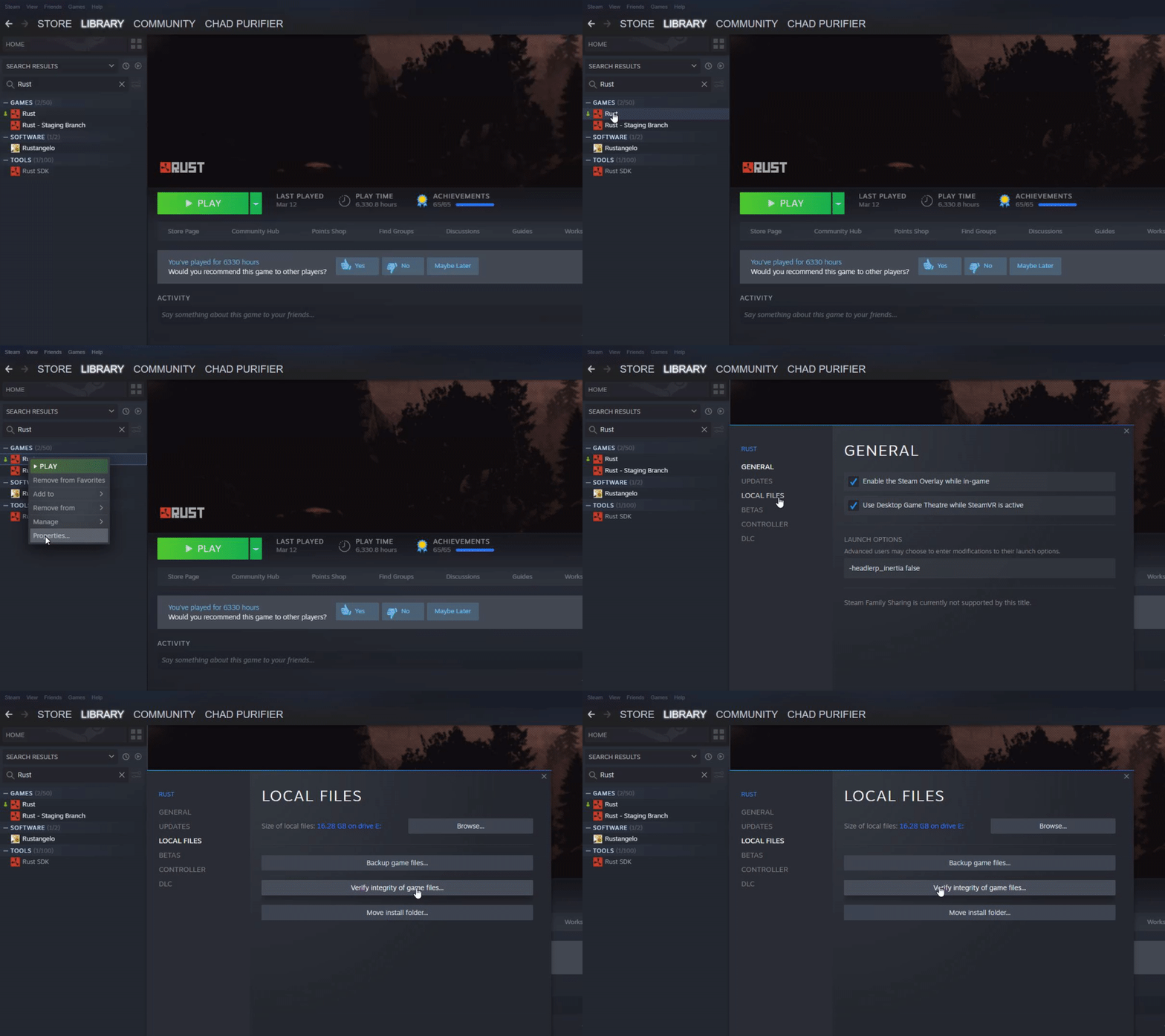
This process is commonly used to resolve "Unknown file version" errors.
Comments
0 comments
Article is closed for comments.